📌 Introduction
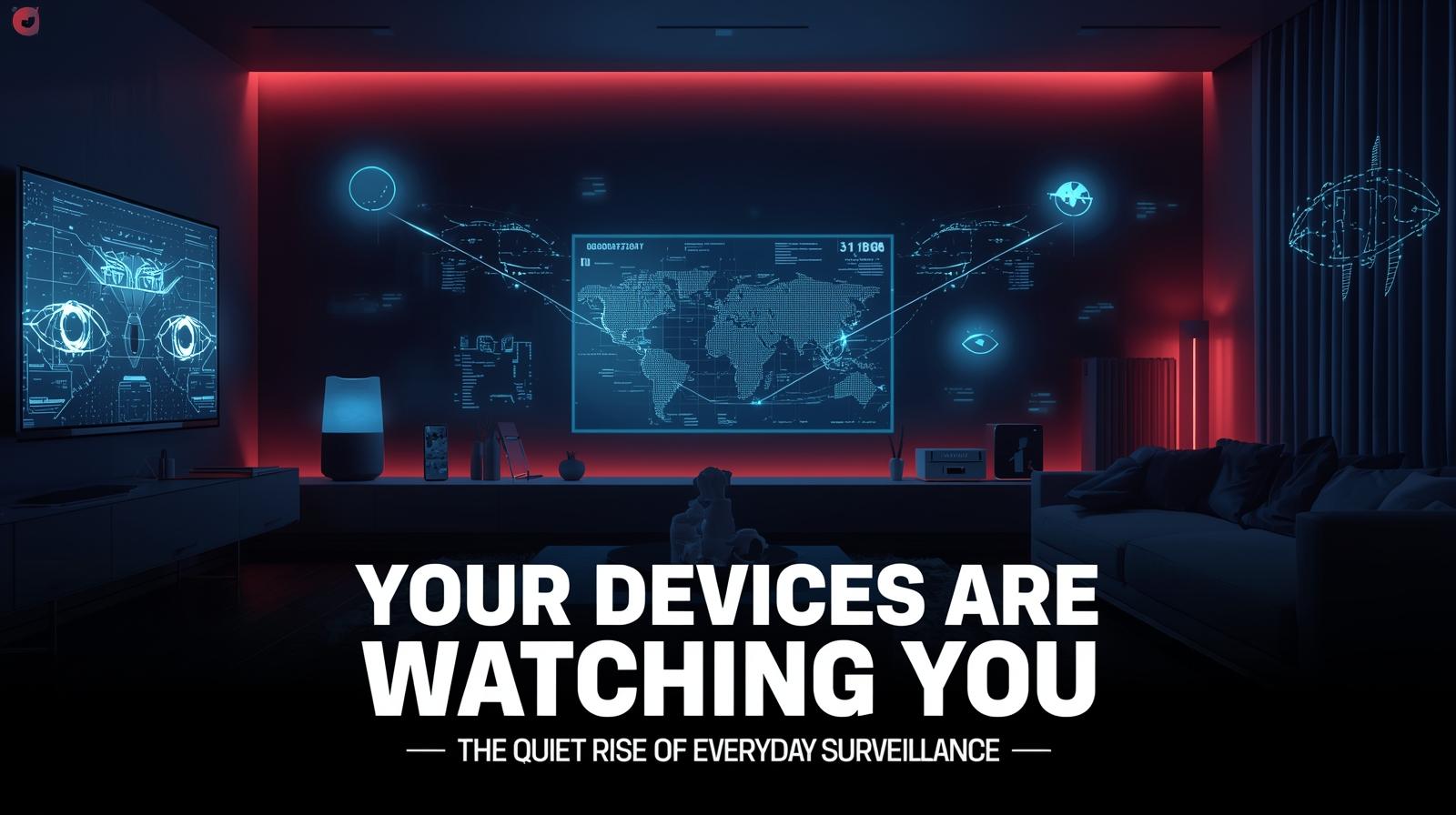
Smart devices have become part of everyday life.
From TVs and speakers to fitness trackers and home assistants, these tools are designed to make things more convenient.
But behind that convenience, many of these devices quietly collect more data than most users expect.
Understanding what’s being collected—and how to control it—can help you protect your privacy without giving up the benefits of modern technology.
📊 What Are Smart Devices Collecting?
Most connected devices gather data to improve performance, personalize features, or support advertising.
Common types of data collected include:
- Device usage patterns
- Voice commands and interactions
- Viewing or listening habits
- Location data
- App activity and preferences
- Environmental information (temperature, motion)
- Biometric data (heart rate, sleep patterns)
- Network information (connected devices)
- Interaction history and timestamps
Individually, this information may seem harmless. But when combined, it can create a detailed picture of your behavior and routines.
The Scale of Data Collection
| Device Type | Typical Data Collected | Potential Insights |
|---|---|---|
| Smart TV | What you watch, when, for how long | Entertainment preferences, family routines |
| Voice Assistant | Voice commands, interaction history | Daily habits, interests, personal questions |
| Fitness Tracker | Heart rate, steps, sleep, location | Health status, exercise routines, sleep patterns |
| Smart Speaker | Listening habits, music preferences | Music taste, mood patterns, time at home |
| Smart Thermostat | Temperature settings, occupancy | When you’re home, daily routines |
| Smart Doorbell | Motion events, visitor patterns | Who visits, when you’re away |
| Smart Appliance | Usage patterns, cycles | Eating habits, laundry routines |
📺 Everyday Devices That Track More Than You Think
Smart TVs
Smart TVs often use a feature called Automatic Content Recognition (ACR).
This allows them to:
- Track what you watch (even from external devices like game consoles or streaming sticks)
- Build detailed viewing profiles
- Share insights with advertisers and data brokers
- Recognize content from any source (cable, streaming, DVD)
- Measure ad effectiveness and engagement
Many users don’t realize this feature is enabled by default.
What ACR can detect:
- Which shows and movies you watch
- How long you watch
- When you skip ads
- What devices you’re using with the TV
- Time of day viewing patterns
Smart Speakers and Voice Assistants
Devices like voice assistants are always listening for activation phrases.
While they’re not constantly recording conversations, they may:
- Store voice interactions in the cloud
- Use recordings to improve accuracy
- Process commands through cloud services
- Share anonymized data with third parties
- Keep transcripts of your requests
In some cases, snippets of audio may be reviewed by human contractors to enhance system performance—a fact that has raised privacy concerns.
What voice assistants collect:
- Voice recordings
- Request history
- Device settings and preferences
- Location data (for relevant requests)
- Calendar and reminder information
- Connected smart home device data
Wearables (Fitness Trackers & Smartwatches)
Wearables collect highly personal data, including:
- Health metrics (heart rate, blood oxygen, ECG)
- Activity levels (steps, calories, exercise)
- Sleep patterns (duration, quality, stages)
- Location during workouts (GPS routes)
- Menstrual health data
- Stress indicators
- Fall detection alerts
This data is valuable for health insights—but also sensitive if shared or exposed.
Privacy concerns:
- Health data is highly personal
- Data may be shared with insurance companies (with consent)
- Breaches could expose intimate health details
- Data may be used for research without clear consent
Smart Home Devices
Connected home devices such as cameras, thermostats, and doorbells can track:
- Movement and activity within your home
- Home occupancy patterns (when you’re home or away)
- Environmental preferences and adjustments
- Who visits and when
- Daily routines and habits
Examples:
- Smart cameras: Record video of your home and visitors
- Smart doorbells: Capture footage of everyone approaching your door
- Smart thermostats: Learn when you’re home and adjust temperature
- Smart locks: Track who enters and when
- Smart lights: Show when rooms are occupied
- Smart appliances: Reveal cooking and cleaning habits
These insights can improve automation—but also reveal intimate details of your daily life if not properly managed.
Smart Appliances
Refrigerators, ovens, washing machines, and other appliances are becoming connected.
What they collect:
- Usage patterns and cycles
- Energy consumption
- Maintenance needs
- In some cases, what’s inside (smart fridges with cameras)
Smart Plugs and Outlets
These simple devices can reveal:
- Which devices are in use
- When devices are turned on/off
- Patterns of activity throughout the day
Robot Vacuums
Some robot vacuums create maps of your home, showing:
- Room layouts
- Furniture placement
- Movement patterns
- When you’re home (based on cleaning schedules)
🔍 Why Most Users Don’t Notice
Smart device tracking often goes unnoticed because:
- Settings are buried deep in menus
- Features are enabled by default (opt-out, not opt-in)
- Privacy options use unclear wording (vague or misleading)
- Users prioritize convenience over configuration
- Data collection is invisible—you can’t see it happening
- Terms of service are rarely read (long, complex documents)
In many cases, people assume devices only collect what’s necessary to function—which isn’t always true.
The Default Effect
Manufacturers know that most users never change default settings.
By enabling data collection by default, they maximize the data they can gather.
💼 How This Data Is Used
The data collected by smart devices can be used for:
Personalizing Recommendations
- Suggested shows based on viewing history
- Music recommendations from listening habits
- Product suggestions from shopping patterns
Improving Product Performance
- Fixing bugs and issues
- Understanding how features are used
- Developing new capabilities
Targeted Advertising
- Building detailed user profiles
- Delivering personalized ads
- Measuring ad effectiveness
- Sharing with advertising partners
Aggregated Analytics
- Market research and trends
- Product development insights
- Behavioral studies
Data Monetization
Some companies may:
- Sell anonymized data to third parties
- Share insights with partners
- Use data to train AI models
Potential Secondary Uses
Data collected for one purpose may later be used for:
- Insurance risk assessment
- Employment screening
- Law enforcement requests
- Academic research
🔒 Is It Really Anonymous?
While companies typically state that data is anonymized, combining multiple data points can still reveal meaningful patterns.
Research has shown:
- Four location points can identify 95% of individuals
- Viewing habits can be highly distinctive
- Voice patterns may be identifiable
- Device identifiers can be cross-referenced
True anonymity is difficult to achieve with rich datasets.
🛡️ How to Reduce Tracking Without Losing Functionality
You don’t need to disconnect everything—small adjustments can make a big difference.
1. Review Privacy Settings on Each Device
Check settings for:
- Data sharing and collection
- Personalization and recommendations
- Voice recording storage
- Ad tracking and analytics
- Third-party data sharing
Turn off anything you don’t need.
Where to look:
- Device settings menus
- Companion mobile apps
- Manufacturer websites (account settings)
- Initial setup screens (often missed)
2. Disable Features Like ACR on Smart TVs
Look for settings related to:
- Viewing data collection
- Content recognition
- Ad tracking and personalization
- Smart TV experience improvements
These are often enabled by default.
Common terms to look for:
- “Viewing data”
- “Content recognition”
- “Ad personalization”
- “Smart TV experience”
- “Interest-based ads”
3. Limit Voice Data Storage
Many platforms allow you to:
- Delete stored voice recordings
- Disable saving interactions
- Opt out of human review
- Set auto-deletion periods
For major platforms:
- Amazon Alexa: Settings → Alexa Privacy → Review Voice History
- Google Assistant: myactivity.google.com → Voice & Audio
- Apple Siri: Settings → Siri & Search → Siri History
4. Keep Devices Updated
Updates often include security and privacy improvements.
- Enable automatic updates where possible
- Check for firmware updates regularly
- Review update notes for privacy changes
5. Be Selective About What You Connect
Not every device needs to be “smart.”
If a feature doesn’t add real value, it may not be worth the data trade-off.
Questions to ask:
- Do I need this device to be connected?
- What data will it collect?
- Can I use it without an internet connection?
- Is there a non-smart alternative?
6. Use a Separate Network for IoT Devices
Consider setting up a guest network for smart devices.
This:
- Isolates them from your main devices
- Limits potential breach impact
- Provides better control
7. Disable Microphones and Cameras When Not Needed
Some devices have physical shutters or mute buttons.
- Cover camera lenses when not in use
- Mute microphones when privacy matters
- Unplug devices when away for extended periods
8. Review Connected Apps and Integrations
Many smart devices integrate with third-party services.
- Review which apps have access
- Remove unused integrations
- Check permissions regularly
9. Read Privacy Policies (At Least the Summary)
While full policies are long, look for:
- What data is collected
- How it’s used
- Who it’s shared with
- Your control options
10. Use Privacy-Focused Alternatives
Some companies prioritize privacy more than others.
Research alternatives that:
- Collect less data
- Offer stronger privacy controls
- Are transparent about practices
📋 Smart Device Privacy Checklist
Use this checklist to audit your smart devices:
- Review privacy settings on all smart devices
- Disable ACR on smart TVs
- Delete voice recording history
- Turn off voice recording saving
- Review and remove unused app integrations
- Check what data each device collects
- Update all device firmware
- Consider a separate IoT network
- Cover cameras when not in use
- Mute microphones when privacy matters
- Read privacy policy summaries
- Research privacy-friendly alternatives
Device-by-Device Guidance
Smart TVs
What to check:
- Settings → Support → Terms & Policies → Viewing Information
- Settings → General → Privacy
- Settings → System → Advanced Settings
What to disable:
- Viewing data collection
- ACR (Automatic Content Recognition)
- Ad personalization
- Interest-based ads
Amazon Alexa/Echo
Settings to review:
- Alexa app → Settings → Alexa Privacy
- Voice history and deletion options
- Human review opt-out
- Skill permissions
Google Assistant/Home
Settings to review:
- Google Account → Data & Privacy
- myactivity.google.com
- Voice & Audio activity
- Web & App Activity
Apple HomeKit/Siri
Settings to review:
- Settings → Privacy & Security
- Settings → Siri & Search
- Siri History deletion
- Analytics & Improvements
Fitness Trackers
What to review:
- App privacy settings
- Data sharing with health platforms
- Location data collection
- Third-party app access
Smart Thermostats
What to review:
- Energy usage data collection
- Occupancy sensing settings
- Location data (for geofencing)
- Third-party integrations
Smart Cameras/Doorbells
What to review:
- Video storage (cloud vs. local)
- Sharing settings
- Motion detection data
- Visitor recognition features
🔮 The Future of Smart Device Privacy
Regulatory Developments
- GDPR in Europe continues to influence global standards
- CCPA/CPRA in California provides consumer rights
- Emerging IoT privacy laws in various jurisdictions
- Industry self-regulation efforts
Technology Improvements
- On-device processing reduces cloud data sharing
- Edge computing keeps more data local
- Improved privacy controls in newer devices
- Privacy-focused alternatives emerging
Consumer Awareness
- Growing awareness of data collection
- Increased demand for privacy
- Media coverage of privacy issues
- Consumer advocacy and tools
❓ Frequently Asked Questions
Q: Are smart devices always listening?
Voice assistants listen for wake words, but they’re not constantly recording. However, they may send short audio clips to the cloud when activated.
Q: Can I stop my smart TV from tracking me?
Yes. Most smart TVs have privacy settings where you can disable viewing data collection and ad tracking.
Q: Is my health data from wearables private?
It depends on the device and settings. Health data is sensitive—review what’s collected and who it’s shared with.
Q: Do smart devices work without internet?
Many have limited functionality offline. Some features require internet, but basic functions may still work.
Q: How do I know what data my devices collect?
Check privacy settings, review the manufacturer’s privacy policy, and look for privacy dashboards if available.
Q: Can hackers access my smart devices?
Like any internet-connected device, smart devices can be vulnerable. Regular updates and strong passwords help protect them.
Q: Should I be worried about smart home cameras?
Smart cameras provide convenience but also record your home. Use strong passwords, update firmware, and consider camera covers for privacy.
Q: Are there privacy-friendly smart devices?
Yes. Some companies prioritize privacy with features like local processing, minimal data collection, and transparent policies.
🧠 A Simple Way to Think About It
Smart devices trade convenience for data.
The goal isn’t to avoid them—it’s to control how much information you share.
Every device you add to your home is a potential source of data about your life.
- Some data is necessary for the device to function
- Some data improves your experience
- Some data is collected for the company’s benefit
Your job is to understand the difference and choose accordingly.
🔎 Final Thought
The rise of connected devices has made everyday life easier, but it has also introduced a new layer of passive data collection.
By understanding how these devices work and adjusting a few key settings, you can enjoy their benefits while maintaining better control over your privacy.
You don’t have to choose between convenience and privacy—with awareness and a few simple steps, you can have both.
🏠 Take control of your smart home privacy. Download our “Smart Device Privacy Settings Guide” with device-specific instructions and checklists.
Related Resources
Internal Cyvack Guides
- Your Phone’s Location Data May Be Sold More Often Than You Think — Why App Permissions Matter
- Your Car Is Collecting More Data Than Your Phone — The Growing Privacy Issue in Connected Vehicles
- Smartphone Sensors Can Reveal More About You Than You Think — The Data Apps Quietly Collect
- Your Phone’s Wi-Fi Is Scanning Even When You’re Not Connected — The Privacy Risk Most Users Miss
- QR Code Scams Are Getting Harder to Spot — Why “Scan to Verify” Can Be Dangerous
Platform Privacy Resources
Smart TV Privacy
Voice Assistant Privacy
Fitness Tracker Privacy
Privacy Advocacy Organizations
- Electronic Frontier Foundation (EFF)
- Privacy International
- Future of Privacy Forum
- Consumer Reports Privacy